

FAQs
Our Kuma WiFi Kit has several versions
Check your router’s picture and click the correct version below to visit the Help page for your kit:
| If your product's USB and LAN2 have WAN written above them – You have a V3 Kit |
|---|
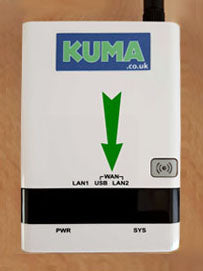
|
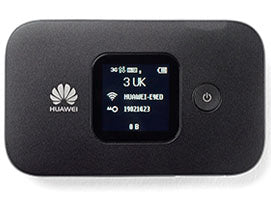
Kuma 4G Pocket WiFi Kit
Click image to view the Help page for the Kuma 4G Pocket WiFi Kit:
Having problems getting a internet connection with your Kuma WiFi Antenna ?
Click image to view Help page for the Kuma WiFi Antenna:

Struggling to get a signal with your Kuma Matrix aerial?
Click image to view Help page for Kuma Matrix Aerial:

Struggling to get a signal with your Kuma Cosmos Aerial?
Click image to view Help page for Kuma Cosmos Aerial:
